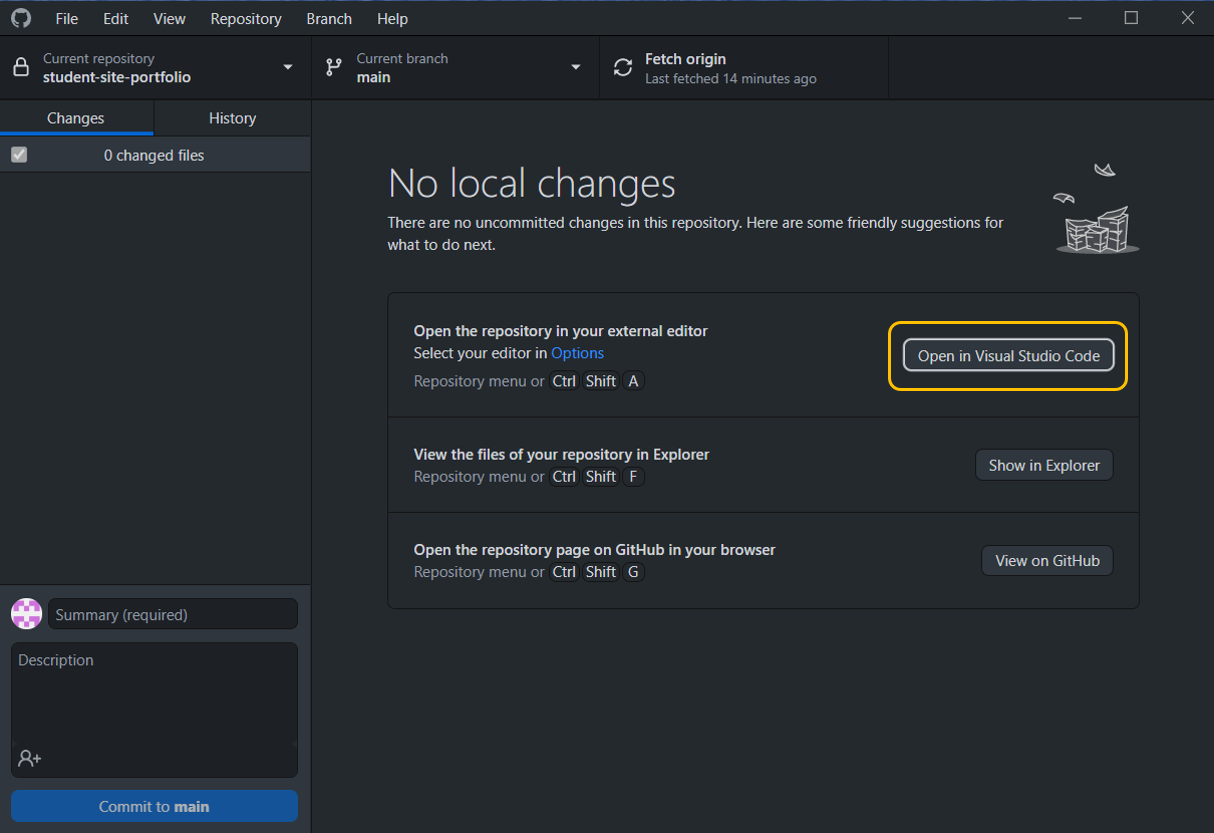
Setting Up Visual Studio Code in GitHub Desktop
Setting up an comfortable Dev environment is essential before you start coding. So hope this blog will help you to set up the Visual Studio Code as defualt editor in GitHub desktop. Here we have two ways to make this setup. First will look one should check settings in the GitHub Desktop application.
Below are the steps check the settings
First things first! Hope you have successfully installed VS Code
Step 1:
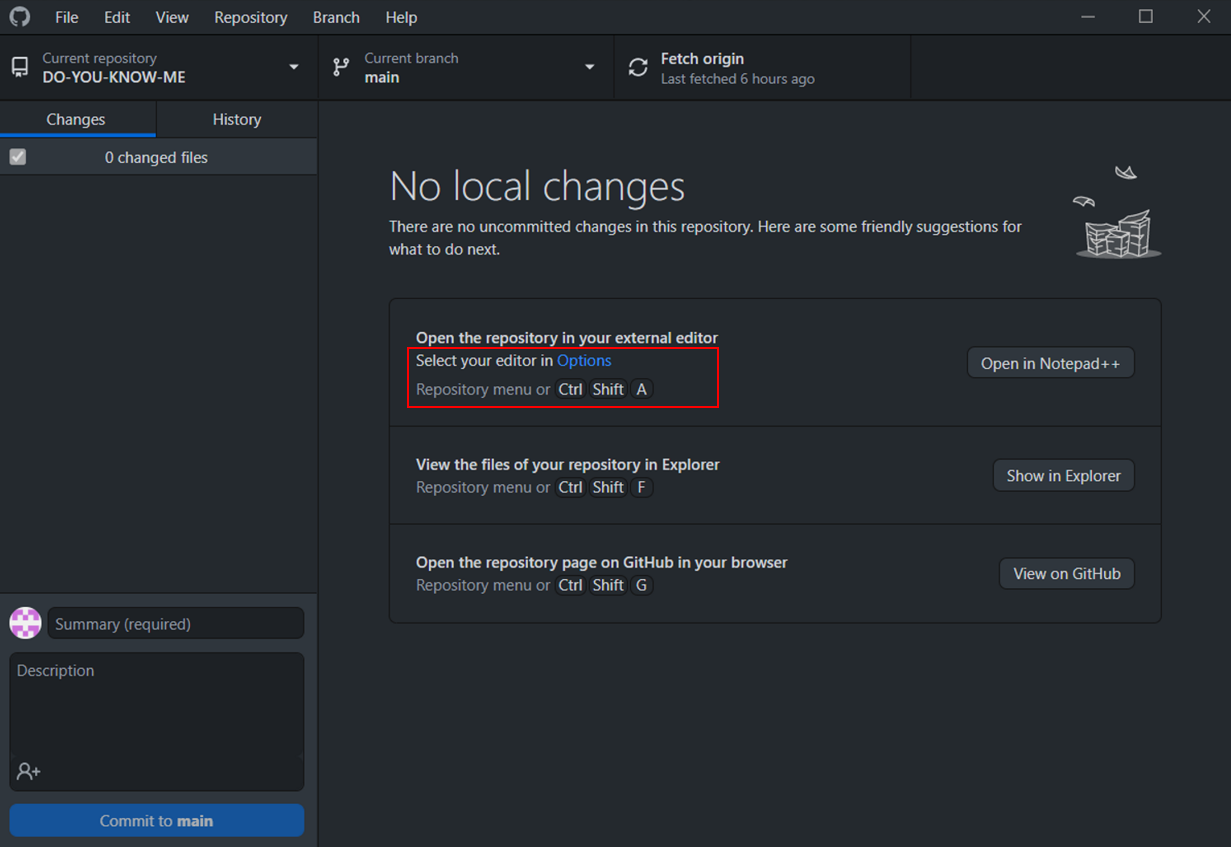
Open the GitHub Desktop and navigate to the Options as shown below or use shortcut Ctrl+Shift+A
Step 2:
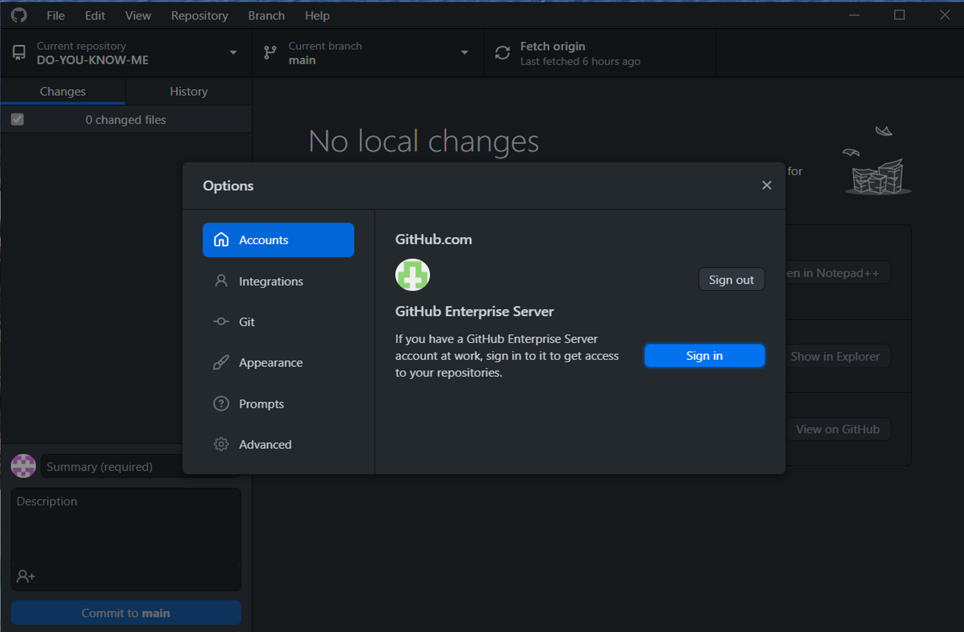
Now you should see the below Options dialogue box. Here Navigate to the Integrations tab.
Step 3:
Drop down the External editor and look for the available editors for you to choose
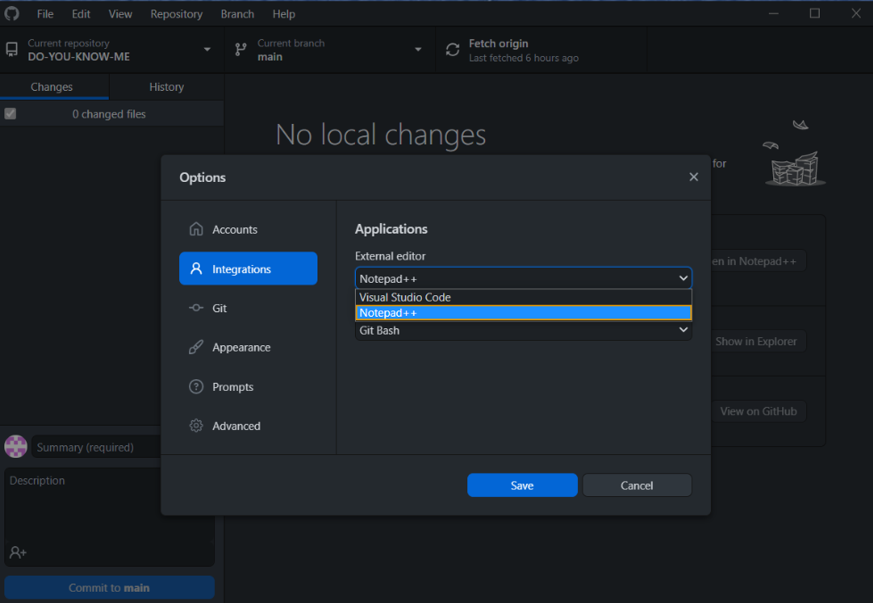
Now choose Visual Studio Code, select and save it. Check out Visual Studio Code is setup to open the repo directly in Visual Studio Code