Setting Up Visual Studio Code in GitHub Desktop
Here are the few steps to get the Visual Studio Code editor option in GitHub Desktop.
Begin with the start
Step 1:
Uninstall the existing VS Code (Hope you know to uninstall a program) And lets begin the installation again
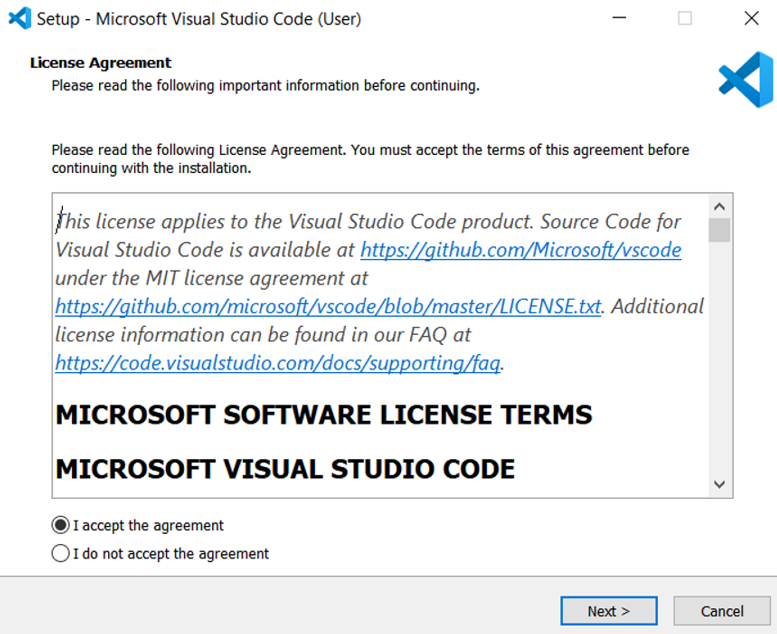
Below is the first dialogue you will see after running the VS Code installation application. Like always just accept the agreement and click on Next
Step 2:
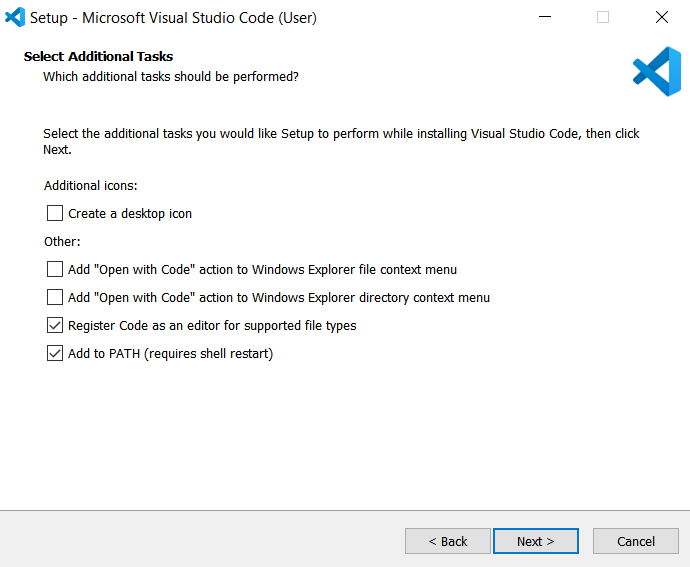
Now, the VS Code Additional Tasks selection dialogue box. By default only the “Add to PATH” will be selected.
Here tick the check box - “ Register Code as an editor for supported file types as well ”.
If you are comfortable to use VS Code everywhere you can select other available check boxes as well.
Then click on Next.
Step 3:
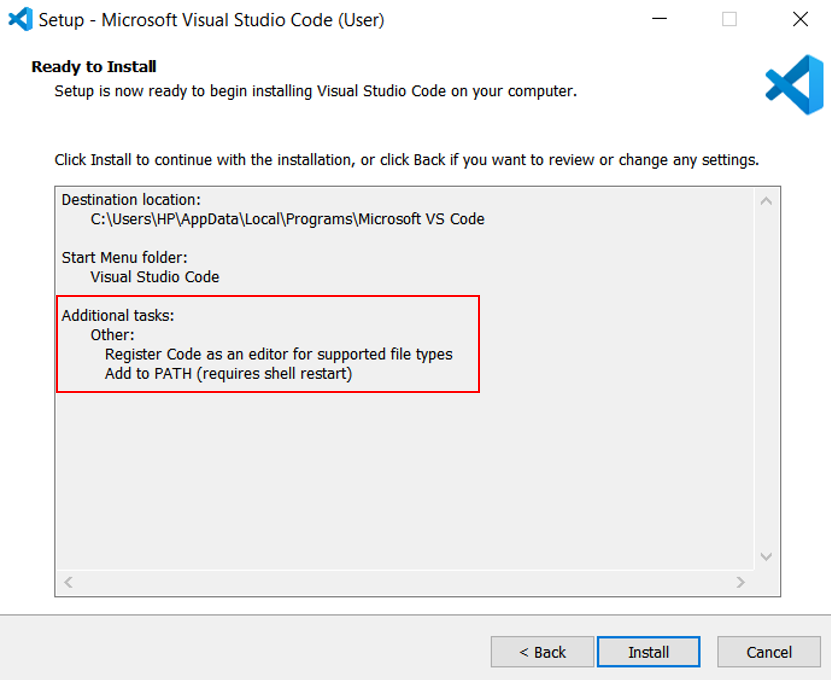
Now you will see Ready to Install dialogue box.
Here you can re-confirm the previously chosen tasks options in the below marked area.
Make sure we have “ Register Code as an editor for supported file types as well ” task in the Additional tasks area.
Go ahead and complete the installation process
Once installation done, follow the previously read instructions and it should resolve your problem